
This is not a sponsored post, but purely a passionate review—though if Typeless wants to sponsor me, I wouldn’t say no!
Today, I want to recommend a voice input software that has been incredibly helpful to me, called Typeless.
I discovered Typeless after reading an article by Waki (who, in turn, learned about it from a video by another creator). That’s how I found out about this voice input tool.
Typeless is software that respects user privacy. They claim that once data is uploaded to the server and processed, it is immediately destroyed after being downloaded back to your computer. They also don’t use your data to train their language models. Your data stays only on your device. Typeless can be set to output Traditional Chinese. Waki mentioned this is more user-friendly than Whisperflow, which can only produce Simplified Chinese. In my experience, it mostly outputs Traditional Chinese, though occasionally Simplified Chinese appears—a strange little bug. However, I think the pros far outweigh this minor flaw.
How It Helps Me
1. Giving My Hands a Rest
My hands have been injured for a while and are currently in a long-term recovery phase. For me, Typeless arrived at the perfect time. It allows me to “speak” my articles instead of typing them, giving my hands the rest they need.
2. Improving Writing Efficiency
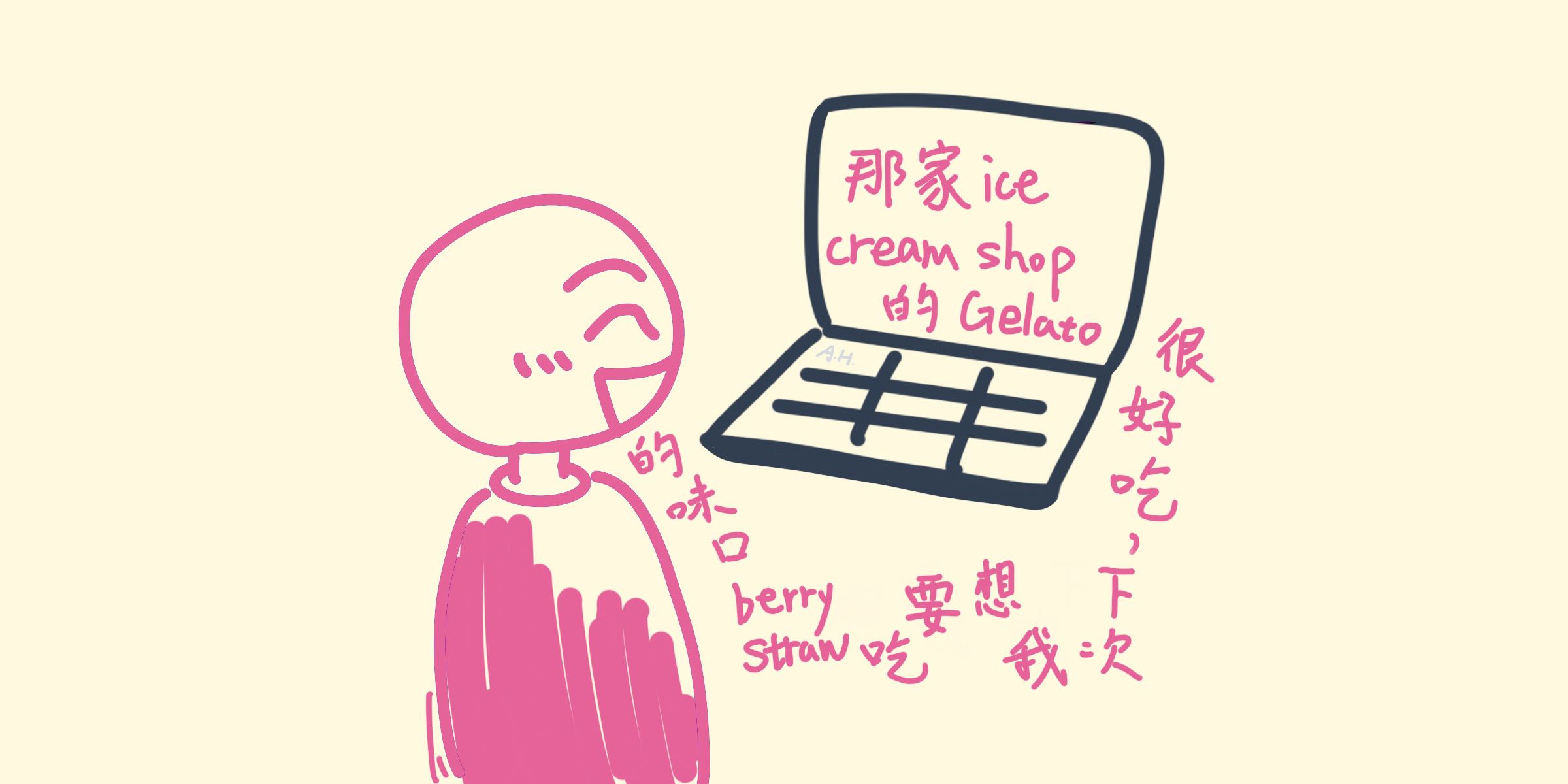
Speaking is truly much faster than writing. Sometimes when I dictate a list, it automatically adds numbers for me. When I get stuck and say “um” or “ah,” or even say “Oops, I said that wrong,” it understands and filters out filler words and errors. Furthermore, it handles mixed-language sentences quite well. For example: “我覺得那家 ice cream shop 的 Gelato 很好吃, 下次我想要吃 strawberry 口味的!” This code-switching sentence was actually dictated using Typeless!
3. Boosting Translation Efficiency
I write my blog posts in Chinese first and then use AI to translate them into English (Of course, I will edit and proofread it later.) Previously, I had to paste the text into ChatGPT, wait for the translation, and then paste it back into VS Code. With Typeless, I don’t need to switch between apps. I just copy the Chinese text, select it, press the shortcut, and say: “Please translate this into English.” A few seconds later, it generates the translation right there on the spot.
Additionally, I have to mention the translation quality. I find that ChatGPT sometimes doesn’t translate very well; I often have to provide many prompts to help it navigate the differences between Chinese and English (including grammar and idioms), and it still requires significant proofreading and editing. Typeless’s language model is impressive. It requires very little editing and often leaves me in awe. Here are a few examples.
- In “Our Little Cutties at Home,” there’s a key phrase, “織織不倦 (zhī zhī bù juàn),” which literally means to weave diligently without feeling tired. I invented this phrase as a playful twist on the Chinese Chengyu “孜孜不倦 (zī zī bù juàn),” which originally means to study or work diligently without getting tired. Typeless translated it as “You could say we are hooked,” and I have to say, the way it handled the pun was brilliant! My original pun was based on sound, replacing 孜孜 (zī zī) with 織織 (zhī zhī). Typeless, however, went for a semantic pun: “hook” refers to the tool used in crocheting, and as an adjective, “hooked” also means being obsessed with or deeply into something. I must admit, that was a really clever choice.
- In my poem “Let Go of the Burden,” my original Chinese version rhymed. When Typeless translated it into English, it actually managed to rhyme perfectly! And it even used the AABB rhyme scheme common in English poetry.
Some might wonder: is it necessary to use AI to turn a Chinese poem into an English one? Does translating poetry with AI lose the beauty of the original? I don’t think it loses the beauty. Rather, it gives the poem a richer form. For me, the Chinese poem (and all my Chinese articles, music, and illustrations) is created entirely without AI—it’s the result of me racking my brain. Once finished, Typeless acts like an American friend, helping me translate my work into idiomatic English.
I’m getting a bit off-track; maybe I’ll write a separate post to discuss this more when I have time.
4. Faster Bookkeeping
Sam and I have a habit of tracking our expenses. Every time we return from the supermarket with a stack of receipts, bookkeeping feels like an exhausting chore. After I started using Typeless, I thought: “Wouldn’t it be so much easier if I could just speak the entries?” So we tried dictating the items and prices, and we found it to be incredibly fast!
How to Use It
Computer: Hold down the default shortcut
Fnto start speaking, and release it when you’re done. The system will display what you just said. You can also use the hands-free mode by pressingFn+Spaceso you don’t have to keep holding the key.Since my Mac shortcut for Delete is
Fn+Delete, and I would accidentally trigger Typeless every time I pressed it, I changed the Typeless shortcut toControl.So far, I haven’t encountered an interface where it doesn’t work. VS Code, web search bars, ChatGPT, Mac Notes, Finder, etc….All work with Typeless.
Mobile: After downloading the Typeless app, it integrates into your mobile keyboard. When you need to type, switch the keyboard to Typeless, tap the black microphone, speak, and tap again when finished.
Tips for Use
- Sometimes it needs longer sentences to understand context. For example, if I say “Oyster Omelet” in Taiwanese Hokkien (Ô-á-tsian) in isolation, Typeless might output something nonsensical. But if I code-switch between Mandarin and Taiwanese Hokkien: “I want to go to the night market to eat Ô-á-tsian,” it gets the characters “蚵仔煎” right.
- Typeless occasionally tries to be “too smart” by rewriting what you said to make it flow better (according to its logic, not necessarily yours). If you want it to transcribe exactly what you say word-for-word, you can tell it: “Please input every sentence and every word I say verbatim: ‘I am very happy to introduce Typeless here…’” and that’s it!
- We use spreadsheets for bookkeeping and need items and prices in different cells. We give a command before dictating the content, such as: “Please use a ‘tab’ to separate the item and the price, and don’t add numbers. Tomato 2.99, Instant noodles 4.79…” We’ve found that dictating more items at once reduces hallucinations. The only downside is that it transcribes the command as well, but deleting it isn’t a big deal.
Cost
- Free Version: 4,000 words per week, which is plenty for those who don’t need to produce large amounts of text.
- Paid Version: Unlimited words and offers a 30-day trial. If you buy a yearly subscription, it costs about $12 USD per month.
Conclusion
After using Typeless, I realized that my previous habit of handwriting notes wasn’t very efficient for learning. Instead, by using my voice to take notes, I find it easier to understand what I’ve learned and retain knowledge.
I highly recommend it to everyone!
Official download link: Typeless
NB: This article was first published in Chinese on 01/21/26. It was later translated with assistance from Typeless, edited by me, and published in English on 01/24/26.